← All apps‹ All documentation
Data & Privacy
Microphone and speech access, what stays on your phone, the only ways audio ever leaves, iCloud backup, and deletion behavior.
Data & Privacy
- Microphone access is asked for the first time you try to record, and the mic is only used while you record. Speech recognition access is asked for transcription.
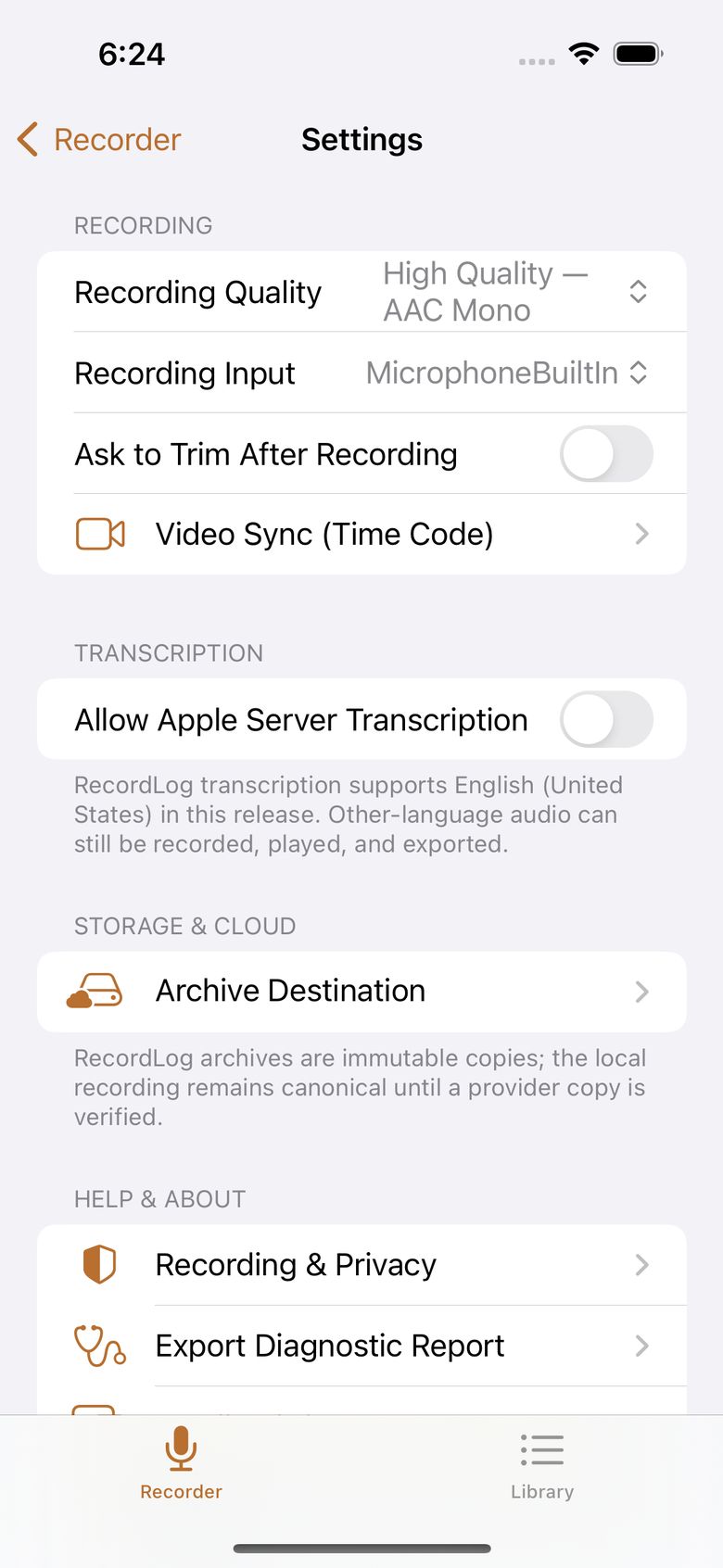
- Everything else stays on your phone: recordings, names, folders, trims, and transcripts live in the app's on-device storage. There is no RecordLog account, no RecordLog server, no usage tracking, and no ads.
- Audio leaves your phone only when you make it happen: (1) you export and share a file; (2) you set up a cloud archive and the app copies to your storage; (3) you approve an Apple-server transcription for one recording. Nothing else, ever, and never automatically. Noise reduction never sends audio anywhere — it runs entirely on your phone.
- On-device transcription and noise reduction send nothing.
- Device backup: your app data is part of a normal iCloud device backup if you have backups turned on, and comes back only when you restore a whole device from that backup.
- Deleting the app removes its phone data. Deleting a recording moves it to Recently Deleted for 30 days. Your cloud backup copies are yours and are never deleted remotely.
Full details: Privacy Policy.